

AnyFileKit
Translate text in images and photos into English or many languages. Free, no sign-up, no watermark. Plus compress, convert, and edit files right in your browser.
AI WritingAI ProductivityFreeWebPublic0 Views
Screenshots
About this product
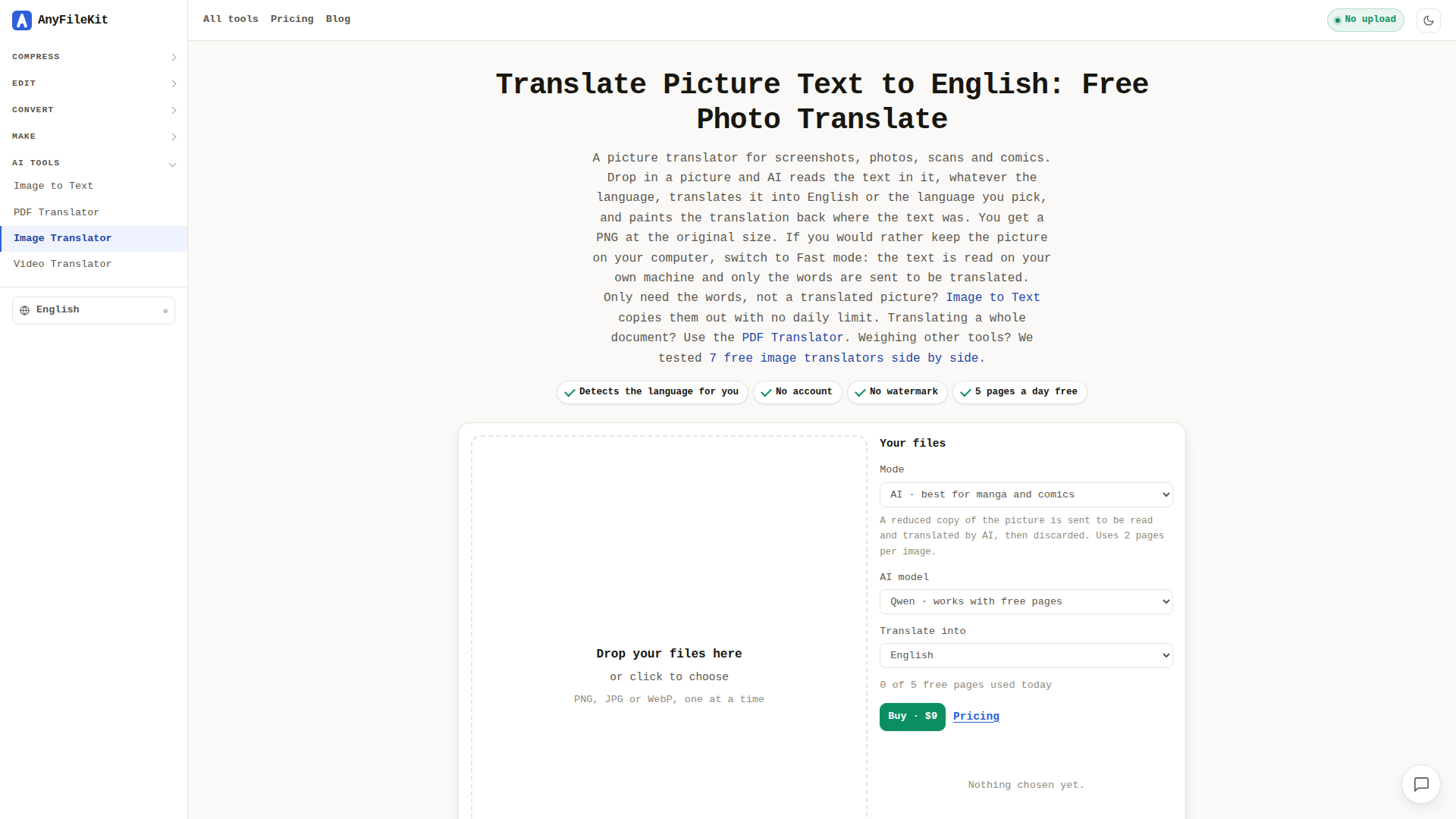
AnyFileKit Image Translator is a free, browser-based AI tool that reads the text inside pictures—screenshots, photographs of signs and menus, scanned pages and comic panels—and paints the translation back into the image in the same place the original text appeared. It is built for anyone who hits a language wall in visual content: travellers photographing menus, office workers staring at an error dialog in a foreign language, comics and manga readers, students working with scanned handouts, and designers or support teams who need to understand text baked into a screenshot. Its core features include automatic language detection, support for Japanese, Korean, Chinese, Arabic, Thai, Hindi and most European languages (including mixed-language images), an AI mode that understands speech bubbles and busy backgrounds in context rather than word by word, and a privacy-first Fast mode that reads the picture locally inside your browser so only the extracted words are sent for translation. Results come back as a watermark-free PNG at the original pixel size, with the original and translated text also listed underneath. The site requires no account or sign-up, offers a daily free allowance of five pages, and sells a $9 pass for 1,500 pages valid for 30 days. User experience is deliberately frictionless—drag and drop, press Start, wait roughly twenty seconds in AI mode—and the wider AnyFileKit suite adds OCR, PDF and video translation plus dozens of compress, convert and edit utilities, all running without uploads where possible. Content is clearly written with honest caveats about handwriting, low resolution and font fidelity, and the interface is localised into more than thirty languages, making it approachable for a genuinely global audience.
Similar products
 KoncileAutomate your procurement processes with Koncile’s advanced AI document extraction and control solutions designed for efficiency and accuracy.
 Pie Chart MakerCreate stunning pie charts in seconds using our intuitive Pie Chart Maker. Perfect for students and professionals!
 Infographic Generator AITransform data into beautiful infographics with our AI-powered tool!